AUTON
THE ALL-IN-ONE FRC APP
Projects, budget, meetings and hours, scouting, chat and notifications, all in one place. Your whole team can stop juggling spreadsheets, group chats and paper sign-in sheets.
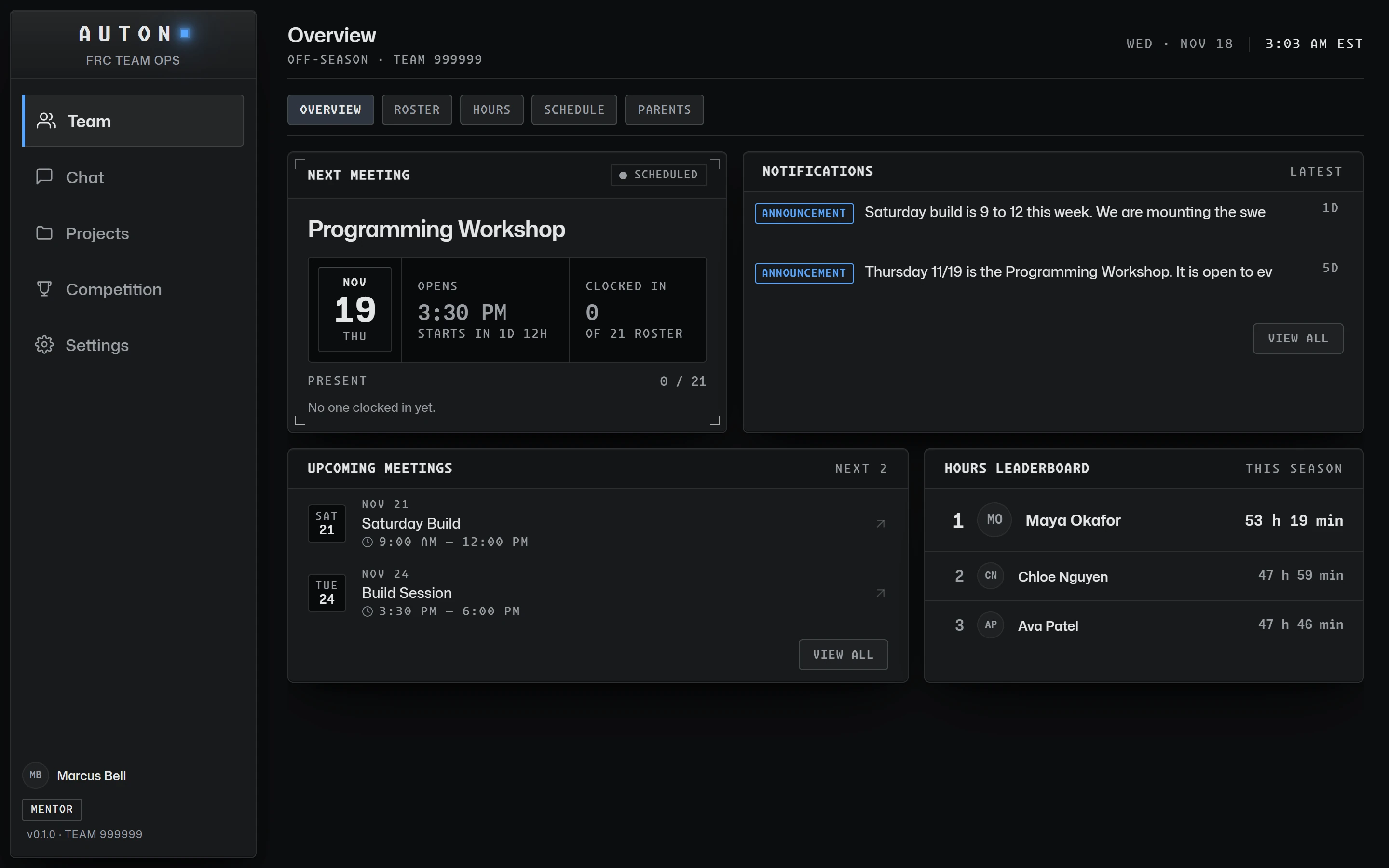
A school adult sets up the team
A teacher or staff member of the school or organization signs up as team admin and claims the team number. AUTON support reviews every claim by hand; once it is approved, the team admin's account opens the team and we email them.
Bring in your roster
Share the student code and the mentor code from the Roster page. Mentors are adults and wait for the team admin’s approval; students join with the code.
Run your season
Schedule meetings, track hours, manage projects, and scout at competitions, all in one place.
Ready to get started?
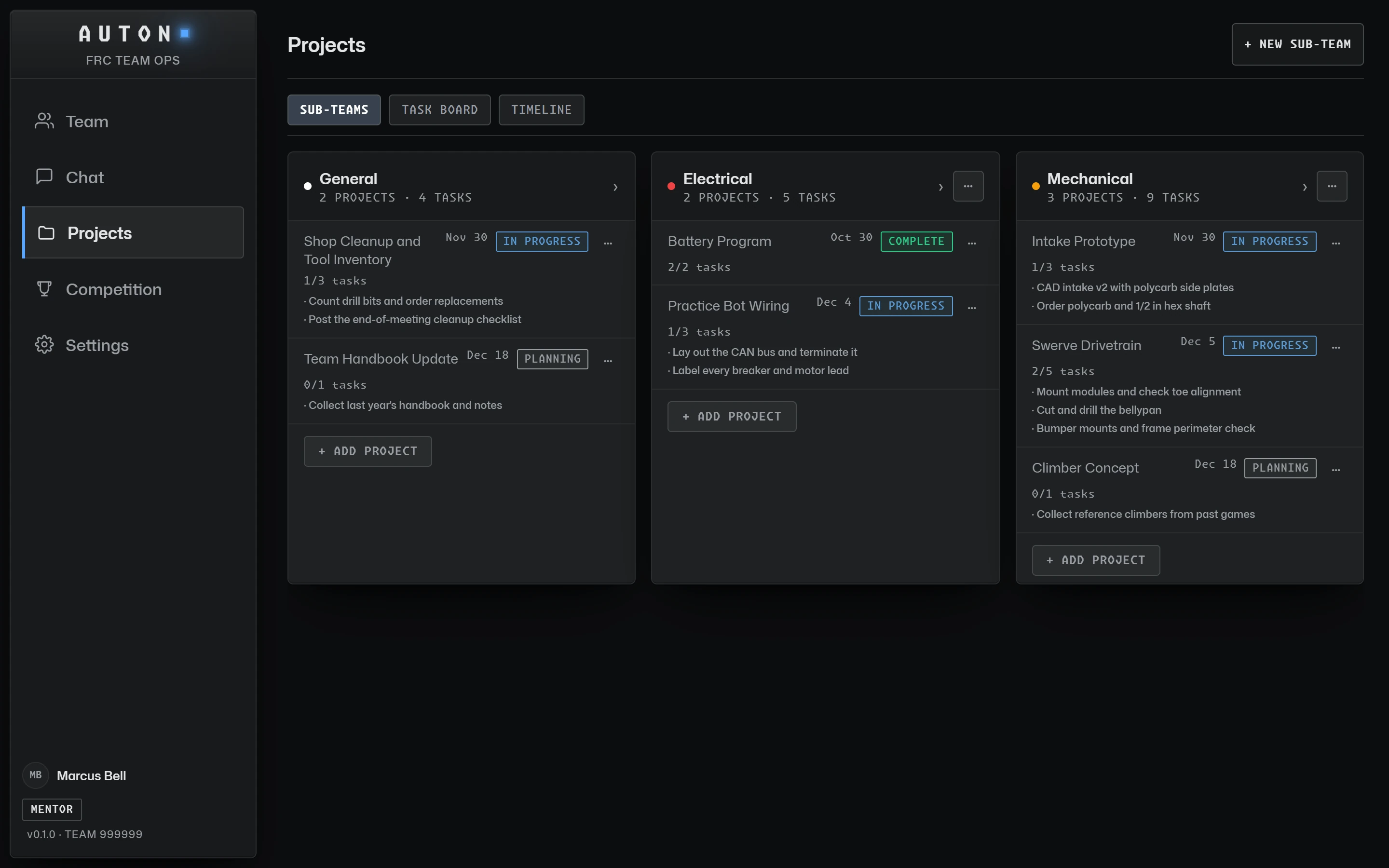
Get StartedEvery project, every task, one clear picture.
Organize the season by sub-team. Break each project into tasks with due dates, and watch progress roll up automatically.
- Sub-teams with color so Mechanical, Coding and Electrical never blur together.
- Tasks with due dates that turn amber as they approach and red when they slip.
- Board and timeline views to see the whole season at once.
- Files, links and build log posts attached right where the work lives.
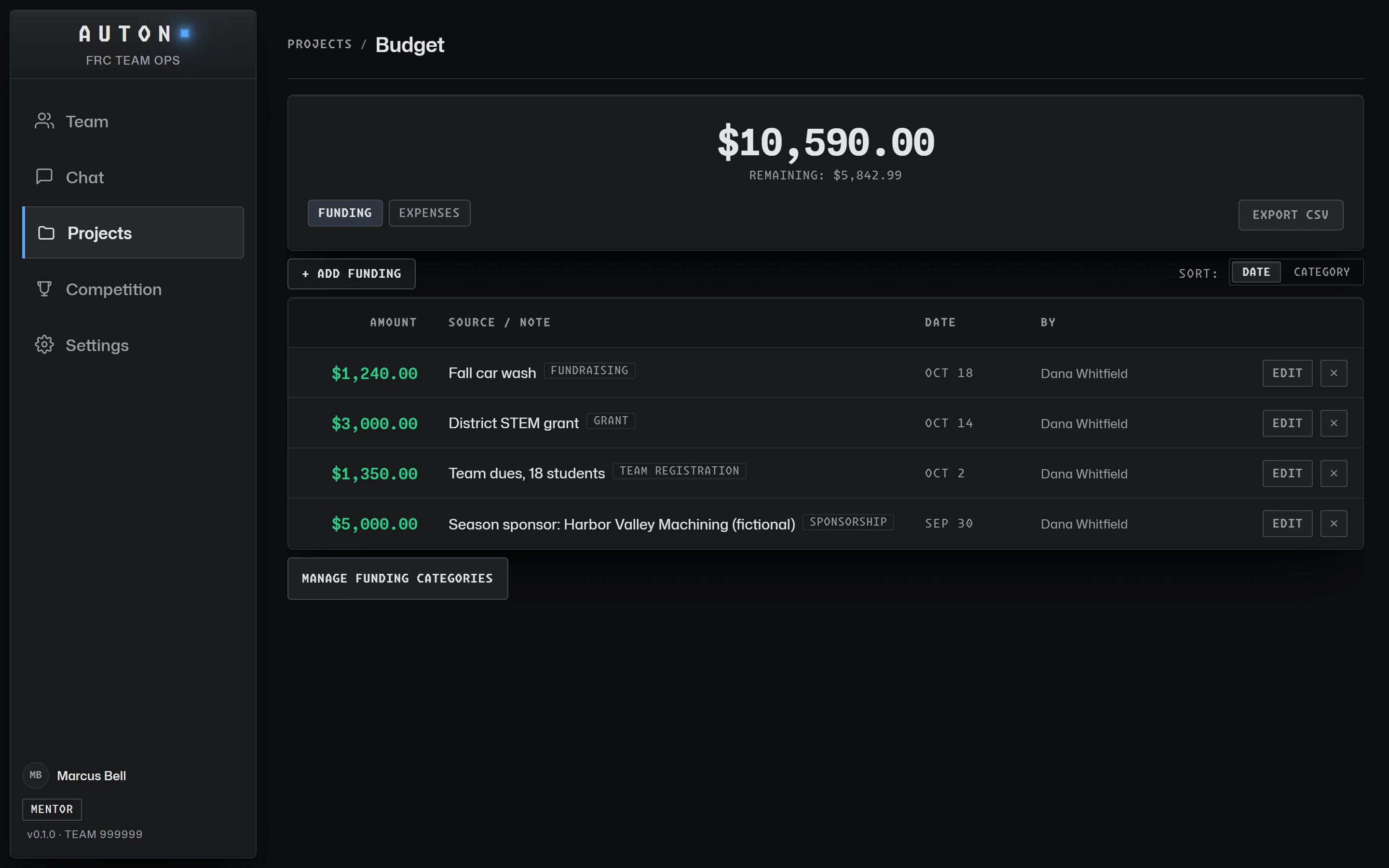
Know where every dollar goes.
Track funding and expenses by category, with the totals and what is left always in view. A mentor can make a student a student lead with the Budget permission, without giving away admin access.
- Funding and expenses logged with notes, dates and who added them.
- Categories for team, build and competition costs, or your own; sort by date, or by category with subtotals.
- A Budget permission for student leads so the right student can manage the books.
- CSV export for sponsors, grants and season wrap-ups.
Sign in fast. Hours count themselves.
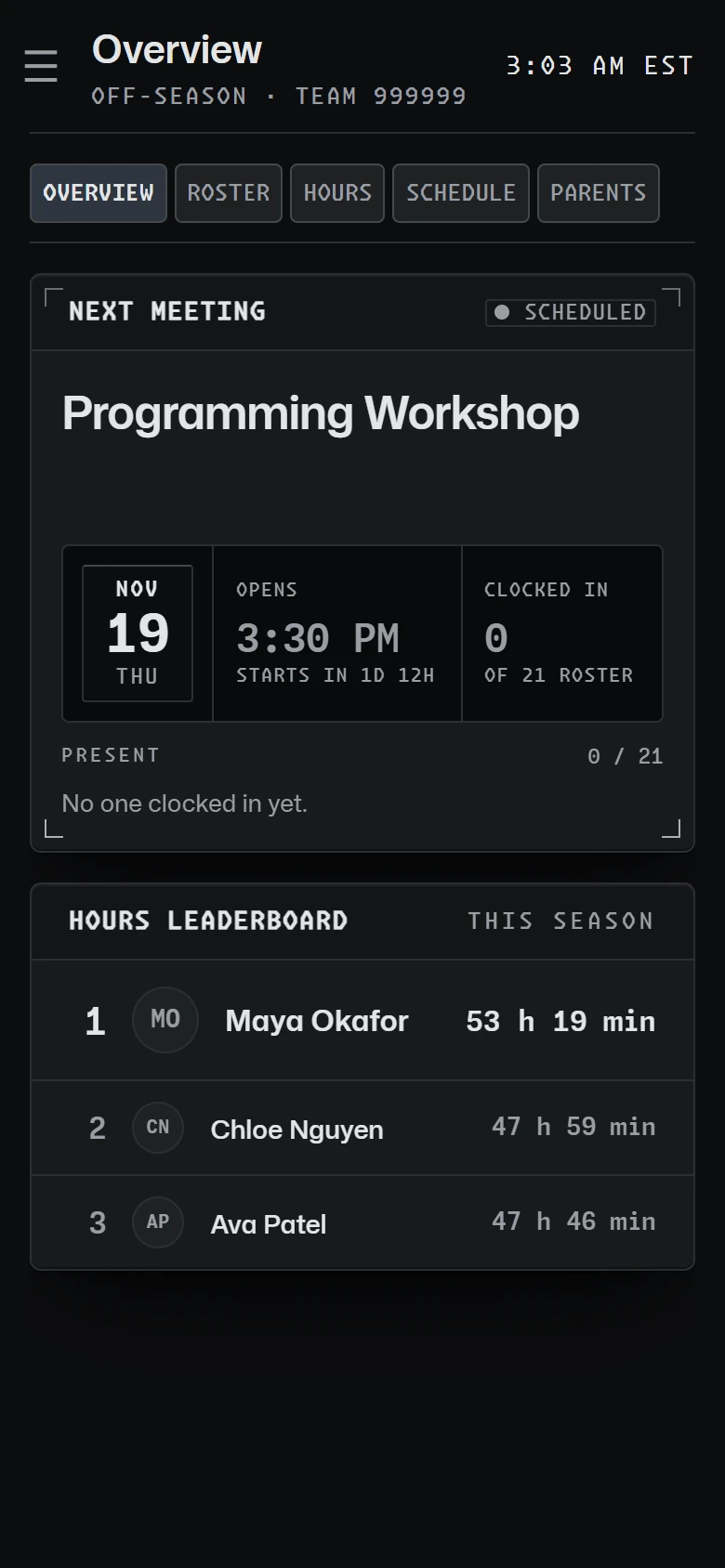
Students clock in with the meeting code or at a shared sign-in kiosk, and hours are added up from real sign-ins, never typed in by hand. Mentors see who is here right now.
- Code or kiosk sign-in with live attendance during every meeting, and an optional PIN for the kiosk.
- Automatic hours and a season leaderboard for the whole team.
- Adjustment requests a mentor can approve or decline, with a notification back.
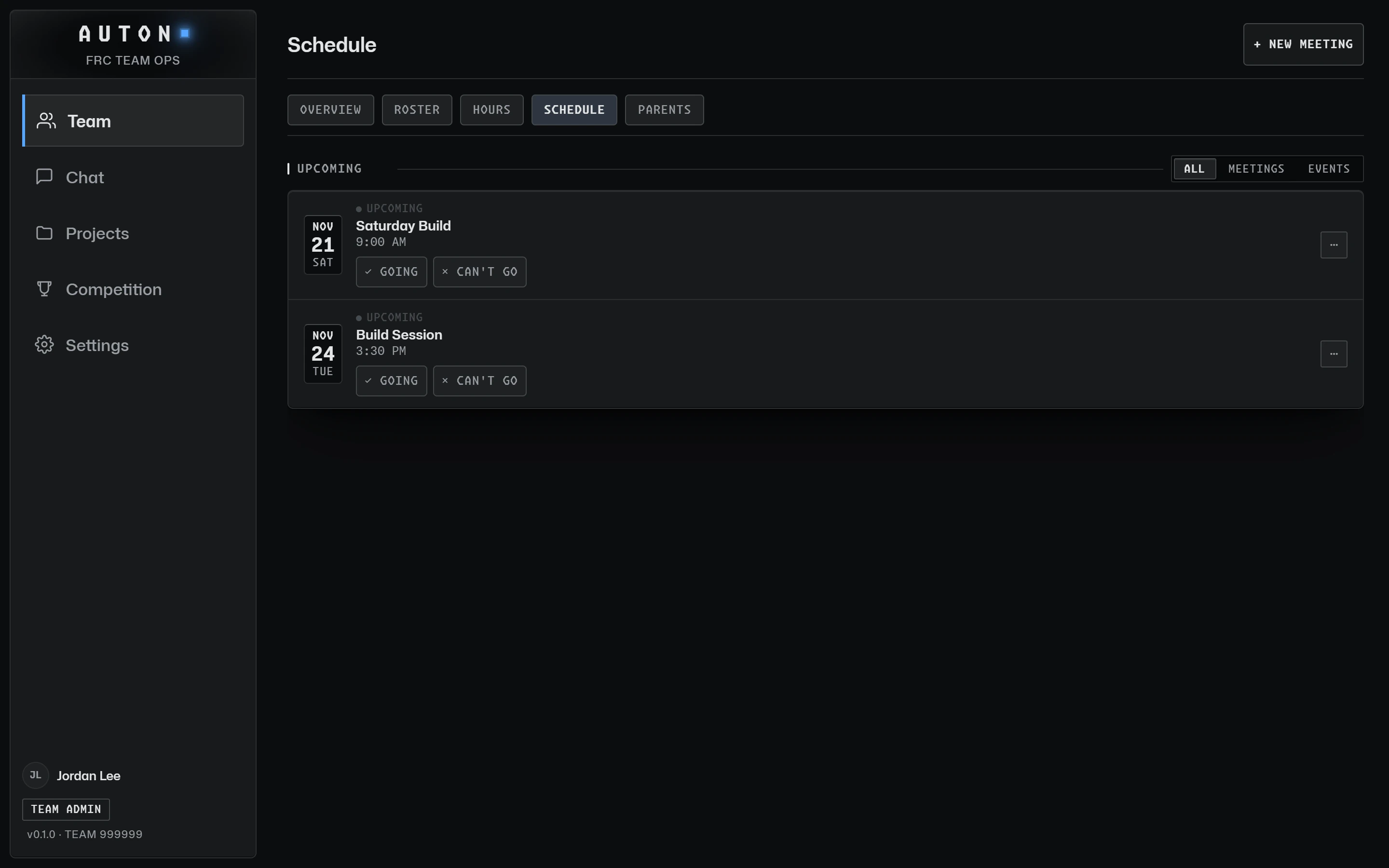
- Weekly recurring meetings with RSVPs, optional auto-close, and a build log written right from the meeting.
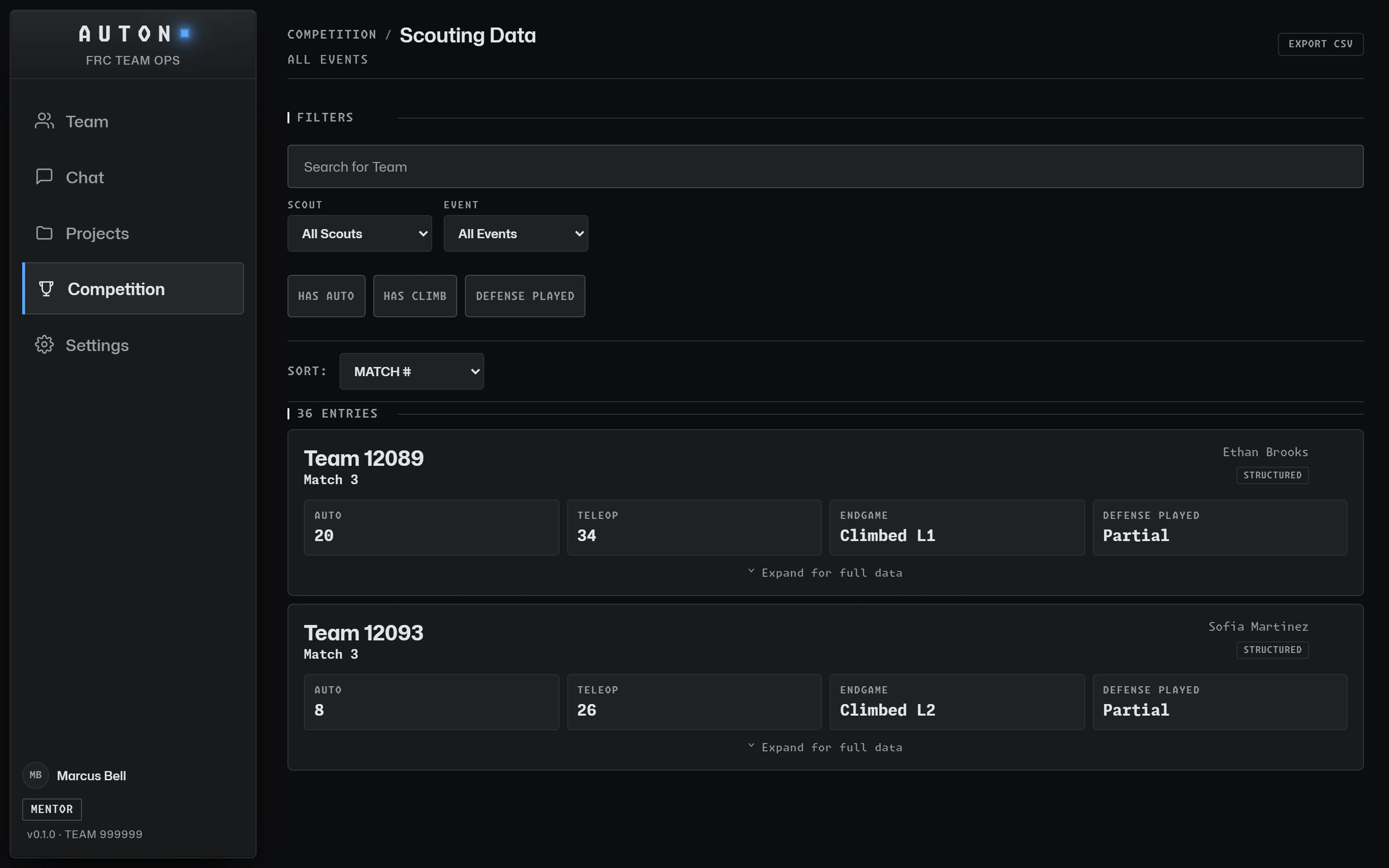
Scout every match, decide with data.
Assign scouts from real event schedules, collect the same fields every time, and turn a weekend of notes into a pick list.
Walk the pits with a real form.
Record every team's robot once, from drivetrain to reliability, and keep it for the season.
- A living document per team, updated as robots change through the event.
- Custom questions and hidden fields for what your team cares about.
- Photos stored privately with the rest of the team's files.
- Your own robot too, so the whole team sees the same specs.
- Assignments, pick board and CSV export so scouting ends in a decision.
6 projects with dates
Showing projects only · Meetings appear in List view
Talk where the whole team can see.
Team channels, announcements and polls, and email to parents, with no one-to-one messages between adults and students.
Build Log
Post progress with photos and subsystem tags. Team-private, so students can share the messy middle.
Announcements & Polls
Pin what matters and let the team vote, in announcements or any chat channel. Results update live, and a vote can be changed or taken back.
Schedule
Meetings, events and RSVPs in one list, with a timeline view of the season.
Roster
Mentors and students in their own sections, with roles, student leads and sub-teams, and the same safe defaults for every account.
Match Day Plan
Plan each competition day in blocks (pit shifts, judging, lunch, alliance selection) and give every member a My Schedule with what is on now and next.
Inventory & Parts
Count what is on the shelf, and let anyone request a part with a clear approval trail.
Real-time Notifications
Assignments, due dates and announcements reach the right people the moment they happen.
The right people hear about it first.
Added to a sub-team, handed a task, scheduled to scout, hours approved: it all lands in one feed that updates while you watch, with a badge in the nav.
- Typed chips so you can tell a task from an announcement at a glance.
- Overdue and due-soon warnings before work slips.
- Project and task alerts skip the person who made the change.
Built for student data, from the first line of code.
Many people on an FRC team are under 18, so privacy is built into how the app works, not bolted on as a footer link. This is what the product actually does.
Children's privacy, by design
- 13 and older only. Everyone confirms they are at least 13 before an account is created.
- Almost no personal data. A name, a username and an email (and a photo, if you add one). We never store your date of birth or birth year, and never a phone number, address or location.
- No ads and no trackers. No advertising or analytics SDKs, and personal data is never sold.
- Strict defaults for everyone. Team-private content and minimal notifications from day one.
- No private adult-to-student messages. Chat happens in team channels that mentors can see; there are no one-to-one DMs.
Student records stay with the team
- Team-private by default. Rosters, hours, build logs and files are visible only to that team's members and mentors.
- Least-privilege roles. The team admin, mentors, student leads and students each get only what their role needs, enforced in the database.
- Guardians stay in control. A mentor can add a parent's email for updates; only the team's adults can see it, and every email has a one-click unsubscribe that deletes it.
- Your data, your call. Download your own data or delete your account yourself, in the app.
- An audit trail. Role changes, claim decisions and other sensitive actions go into an append-only audit log.
Defense in depth
- Row-level security on every table. Access rules live in the database itself, so a bug in the app can't show one team another team's data.
- Roles can't be self-promoted. Roles are locked by database triggers; only trusted server code can change them.
- Private file storage. Build-log photos are served through short-lived signed links, never public URLs.
- Verified team admins. AUTON support reviews every team claim before anyone becomes a team’s admin.
- Hardened delivery. HTTPS with HSTS, a strict content security policy, no framing, captcha on sign-in, and 6-digit email codes (never links) to confirm an account or reset a password.
Auton is a tool for FRC teams and does not replace your school's or organization's own policies. Hosting, email delivery, bot protection and AI providers process data only to run Auton; details are in the Privacy Policy. Questions about privacy, or need a guardian's record removed? Email support@autonfrc.com.
IS AUTON FREE?
Yes. AUTON is free for every FRC team, with generous limits: any team size, 2 GB of files per team, and a daily cap on emails to parents so every team’s mail gets delivered. It is built for the robotics community.
HOW DOES A TEAM GET STARTED?
A teacher or staff member of your school or organization signs up as the team admin and claims your FRC team number. They confirm they are an adult authorized to represent the school, and that the school’s administration knows the team uses AUTON. We review every claim by hand and email the team admin once it is approved. Then they share the team’s codes with mentors and students.
WHO CAN JOIN AUTON?
Students aged 13 or older join with their team’s student code; there is no other way in for a student. Mentors must be adults: they sign up with the team’s mentor code and have no access until the team admin approves them. Every approved mentor helps run the team (schedule, projects and scouting, roster, budget, emails to parents), and can make a student a student lead with some of those permissions. Safety alerts go to the team admin, the backup admin and the mentors the team admin chooses, and the team’s data belongs to the team. Every team’s workspace is private and isolated from other teams.
IS OUR TEAM'S DATA PRIVATE?
Yes. Every team works in its own private workspace: no other team can see your projects, scouting data, hours, messages or roster. Only your team’s public details (its name, location and the profile your team admin writes) can be seen by other teams. Your data is stored with Supabase, in a data center in the United States. Auton does not sell data or run ads, and shares information only with the service providers that run it, listed in the Privacy Policy.
WHAT HAPPENS IF OUR TEAM ADMIN LEAVES?
The team admin hands the role to another adult mentor before they can leave the team or delete their account. They can also name a backup admin, who takes over automatically if the team admin’s membership ends; with no backup admin, the longest-serving mentor does. If no adult is left at all, the team becomes read-only until an adult claims it again.
WHICH DEVICES DOES AUTON WORK ON?
AUTON runs in any modern web browser (Chrome, Safari, Firefox, Edge) on a computer, tablet or phone, with no app store download. To keep it on your phone like an app: on iPhone or iPad, open app.autonfrc.com in Safari, tap Share, then Add to Home Screen; on Android, open it in Chrome and tap Install app (or Add to Home screen) in the menu. Chat, meetings, notifications and polls update live; other pages show your last view at once and refresh when you open them.
Run your whole team from one place.
Set up your school’s team
For a teacher or staff member of the school or organization. You must be an adult, authorized by the school. We review every team.
Set up a team → MENTORJoin as a mentor
For adults (18+), with the mentor code from your team admin. You’ll have access once the team admin approves you.
Join as a mentor → STUDENTJoin as a student
Aged 13 or older, with your team’s student code. No code? Ask your mentor or team admin for it.
Join as a student →Every team on AUTON is set up by an authorized adult representative of its school or organization, with the administration’s knowledge. Mentors must be adults, approved by the team admin. Students join only with a code from their team.
Have a question? Email us.
Getting your team set up, a question about how something works, a safety concern, or a request about your team's data. All of it goes to one inbox.
If someone is in immediate danger, call 911. For crisis support, call or text 988.
Claiming your team, inviting mentors and students, and setting up your first season.
Something that worries you about a student's safety or a piece of content.
Data export or deletion, questions about how student data is handled, or removing a guardian's email.
Bugs, ideas and features you want to see. Tell us what would help your team.