Scouting
Scouting for FRC teams
Match scouting, pit scouting and a shared pick board in one place, built from the current season’s game.
Match scouting with your season’s form
Every scout fills in the same form, built from the season’s game (the 2026 game is REBUILT): counters, toggles, ratings and notes. Assign scouts to matches one at a time or in bulk for an event, and each scout is notified which team and match to cover.

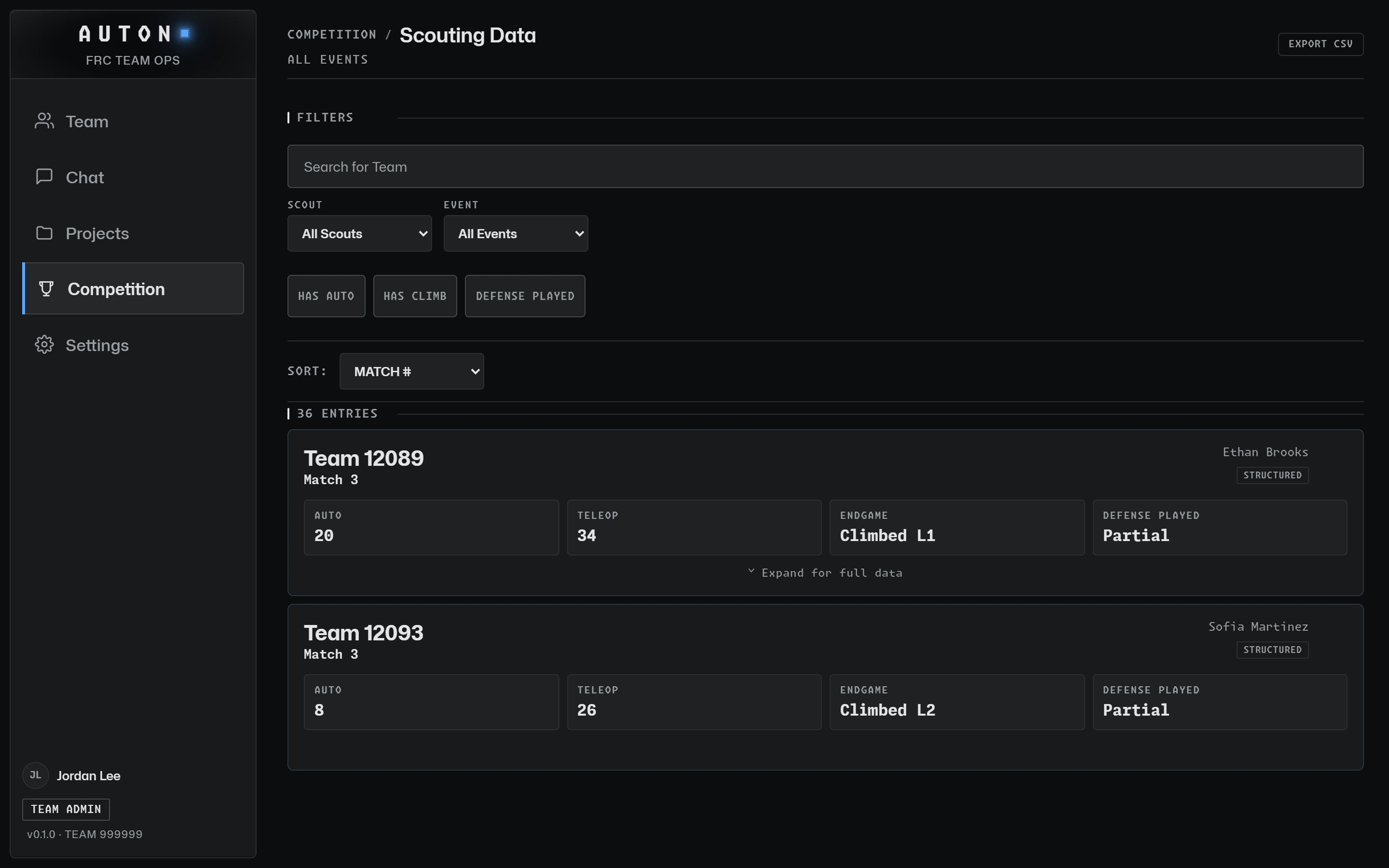
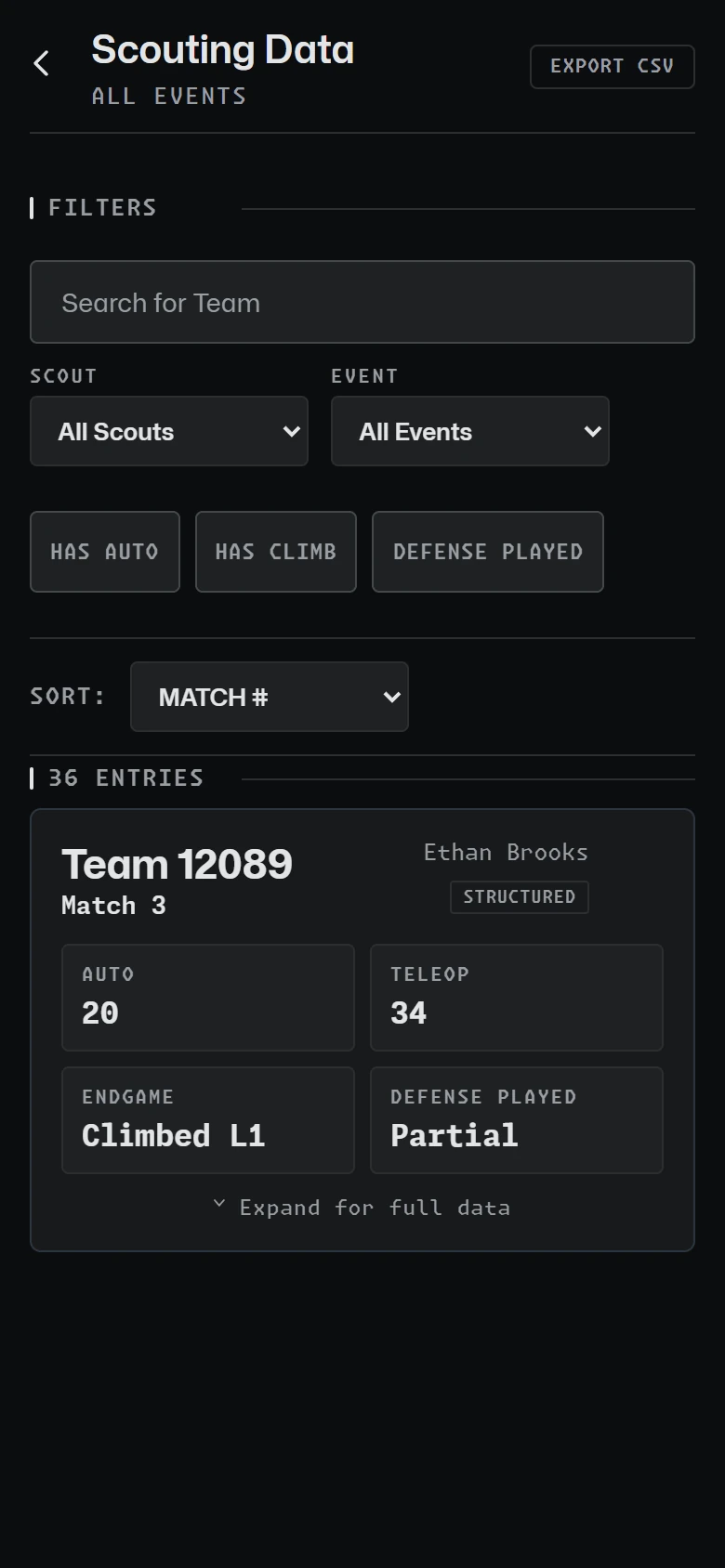
Every entry in one table
Every scouted match in one table with auto, teleop, endgame and defense, filtered by event or by scout. Scouts can correct their own entries, and the people who run scouting can remove bad ones.

Pick board, team lookup and pit scouting
Drag teams into rank order with notes for alliance selection, with your own scouting averages and Statbotics stats alongside. An optional AI read summarizes a team’s scouting entries, at most 30 a day per team: it gets the form answers, match codes and public statistics, never a member’s name, account or who scouted the match.
Look up any team’s results from The Blue Alliance and Statbotics, and give each robot you visit in the pits a form and photos.

Match Day: the day plan and My Schedule
Plan each competition day in blocks: arrival, pit crew shifts, judging interviews, lunch and alliance selection, with the people on each. Overlapping blocks sit side by side, and a person booked twice is flagged before you save.
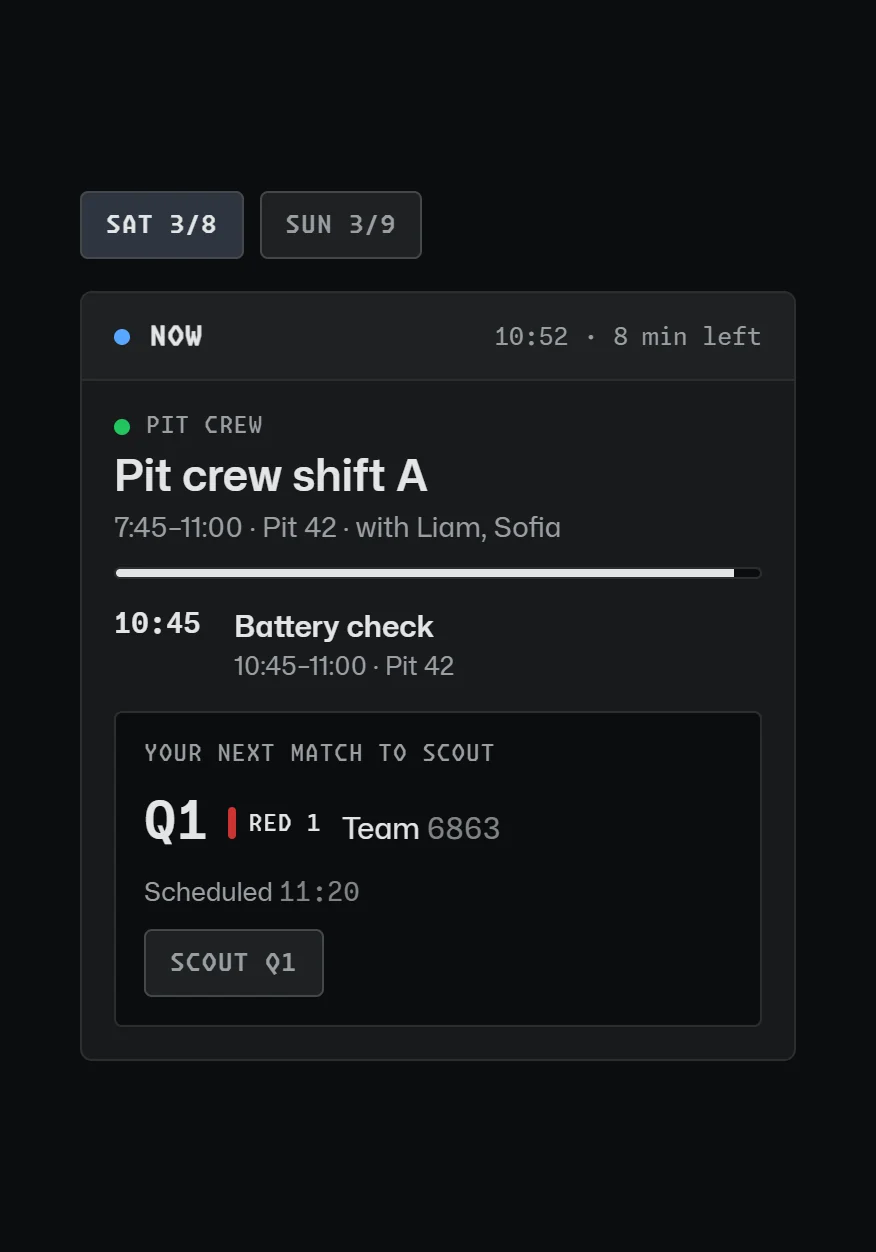
Every member gets My Schedule on their phone: what is on now, what is next, and their own scouting matches with a button to start the form. Your matches come from the event schedule and scouting from Assignments, so nothing is entered twice. Mentors and student leads with the Projects & Scouting permission edit the plan.
Read the guide
How to Scout FRC Matches
What to record in match and pit scouting, how to keep the data trustworthy, and how to turn it into a pick list.
More features
Attendance & Hours
Meeting sign-ins on a phone or a shared kiosk, and hours that add themselves up.
Projects & Build Log
Sub-teams, projects and tasks, part requests and budget, and a team-private build log.
Team Communication
Team channels with no one-to-one adult-student messages, announcements and safe email to parents.
Get your team on AUTON. Free for FRC teams: a school adult sets the team up, and mentors and students join with its codes.
GET STARTED